 WagWatch
WagWatch 1.0 is out: a shared daily logbook for your pet
Today WagWatch 1.0 is on the App Store and at app.wagwatch.app. It does one thing: it gives everyone who cares for a pet one place to write down the small stuff, a meal, a potty break, a dose, how the day went, and turns a month of that into something you can show a vet.
Why it exists
It started with one senior dog and one question we could never answer at the vet: “how has she been?” The honest answer was a feeling. We built the thing we needed, a place to log Daisy’s day in a few seconds, and a few weeks in the log showed us changes we had noticed and dismissed one at a time. That is the whole story, and it is why the app is free to use every day.
What is in 1.0
- Log your pet’s day: meals, potty breaks, medications, symptoms, notes, and a rating for the day and the night.
- History and trends, so patterns show up before they become problems.
- Reminders for medications and routines, delivered as push notifications.
- Households: everyone caring for the pet logs into the same shared record, from their own phone or a browser.
That is the list. There is no collar, nothing to charge and nothing to buy. The release notes are here, and every version after this one will be there too.
How to use it, in five minutes
- Create an account and add your pet: name, species, and a date of birth if you know it.
- Log one thing. Tap the blue plus button on Home, pick a tile on the log sheet, save. A meal is the easiest first entry. Every entry carries a time you can adjust, so logging it five minutes later is fine.
- Rate the day before bed, one to five, and the night in the morning. Those two numbers become the line that makes every other chart readable.
- Invite the household. Under More, invite your partner, the dog walker, whoever does the morning shift. Their entries land in the same history, in order.
- Set a reminder for any medication your pet takes, and log each dose from the notification.
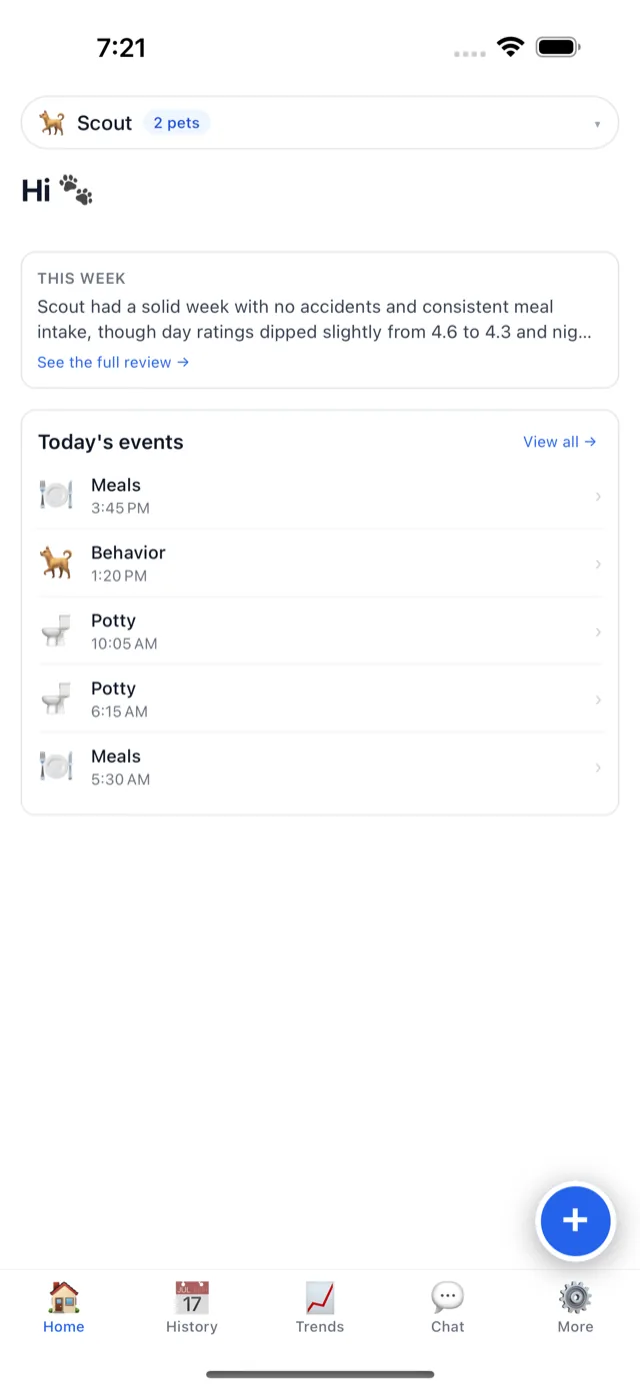
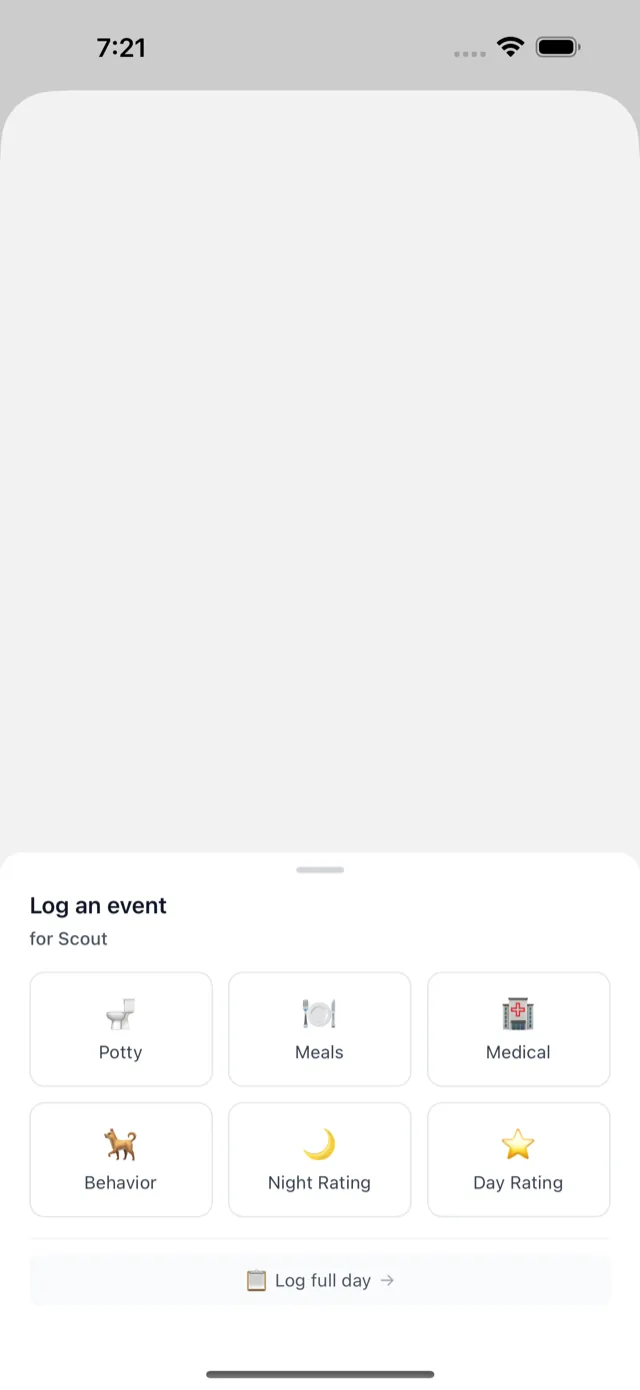
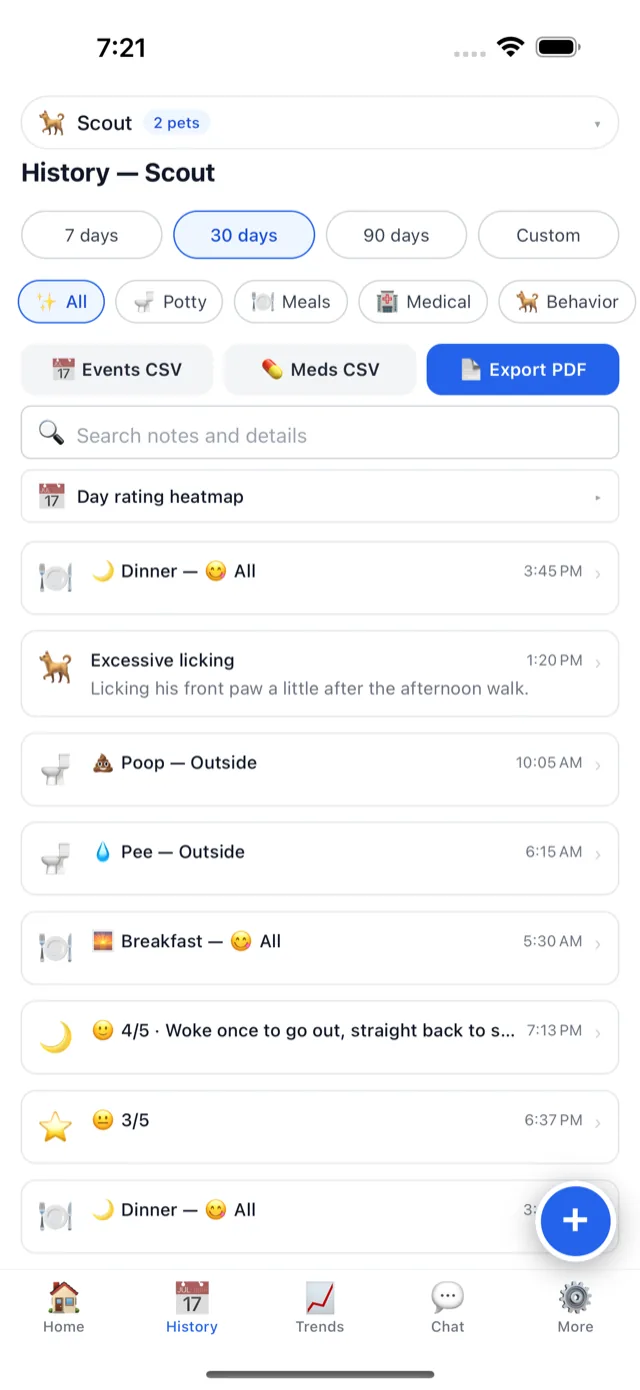
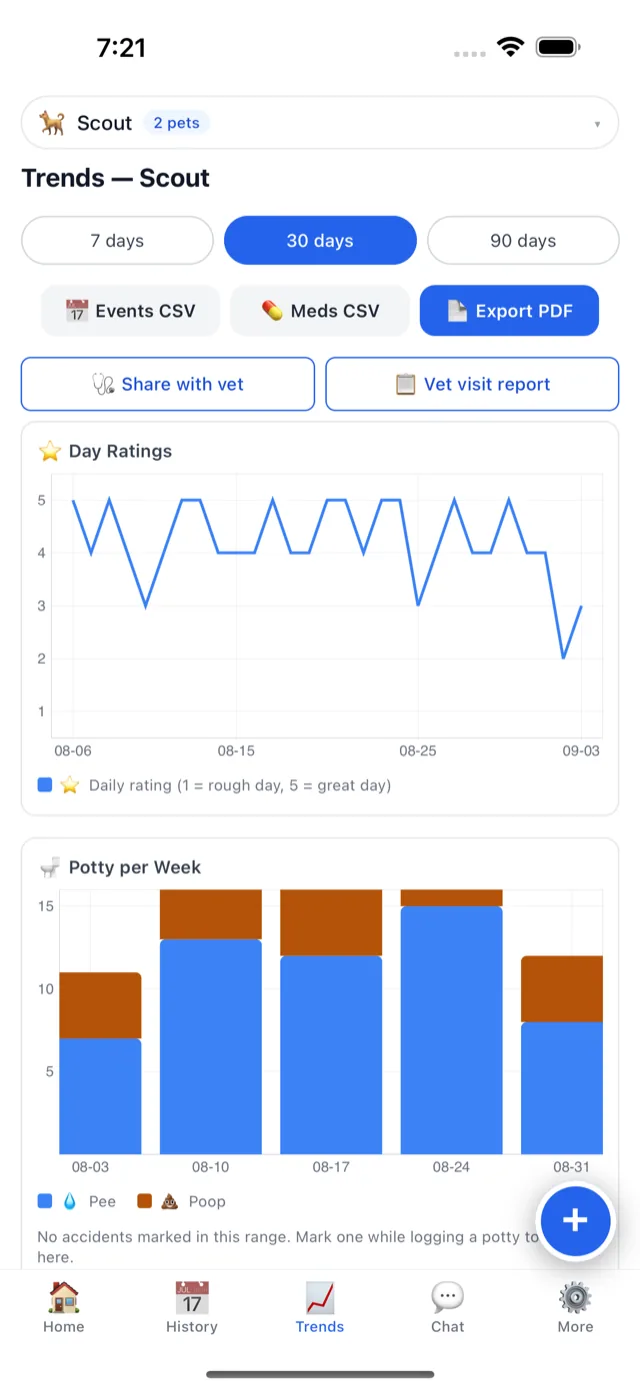
Screens shown are from the current version of the app.
What a month of it gives you
After a few weeks the History tab is a searchable record, and the Trends tab plots the day ratings and the weekly counts with a trend line on each. A picky week, a run of accidents, the nights that got restless: all of it is dated instead of remembered. When the appointment comes, export a PDF summary and hand it over at the start of the visit rather than the end.
Free
Everything above is free, and logging is never limited. We will add more over the coming weeks, and the things that cost us money to run will be paid extras, but the daily log, the history, reminders and households are the product, and they stay free.
Where to get it
The iPhone app is on the App Store today, and the web app at app.wagwatch.app works in any modern browser, phones included. Android is next. If something is broken or confusing, tell us: a real person reads it, and this early every note changes the next version.
Not a substitute for your vet
WagWatch is a tracking and logging tool, not a veterinary service. Its job is to help you bring a clear, accurate history to the people who care for your pet professionally.
Start today
Add your pet, log tonight’s meal and how the day went, and see how it lands in the day view. It takes about a minute.


Free to use every day. Premium unlocks the full history, every pet and the AI assistant — $3.99 a month or $24.99 a year, 14-day free trial.